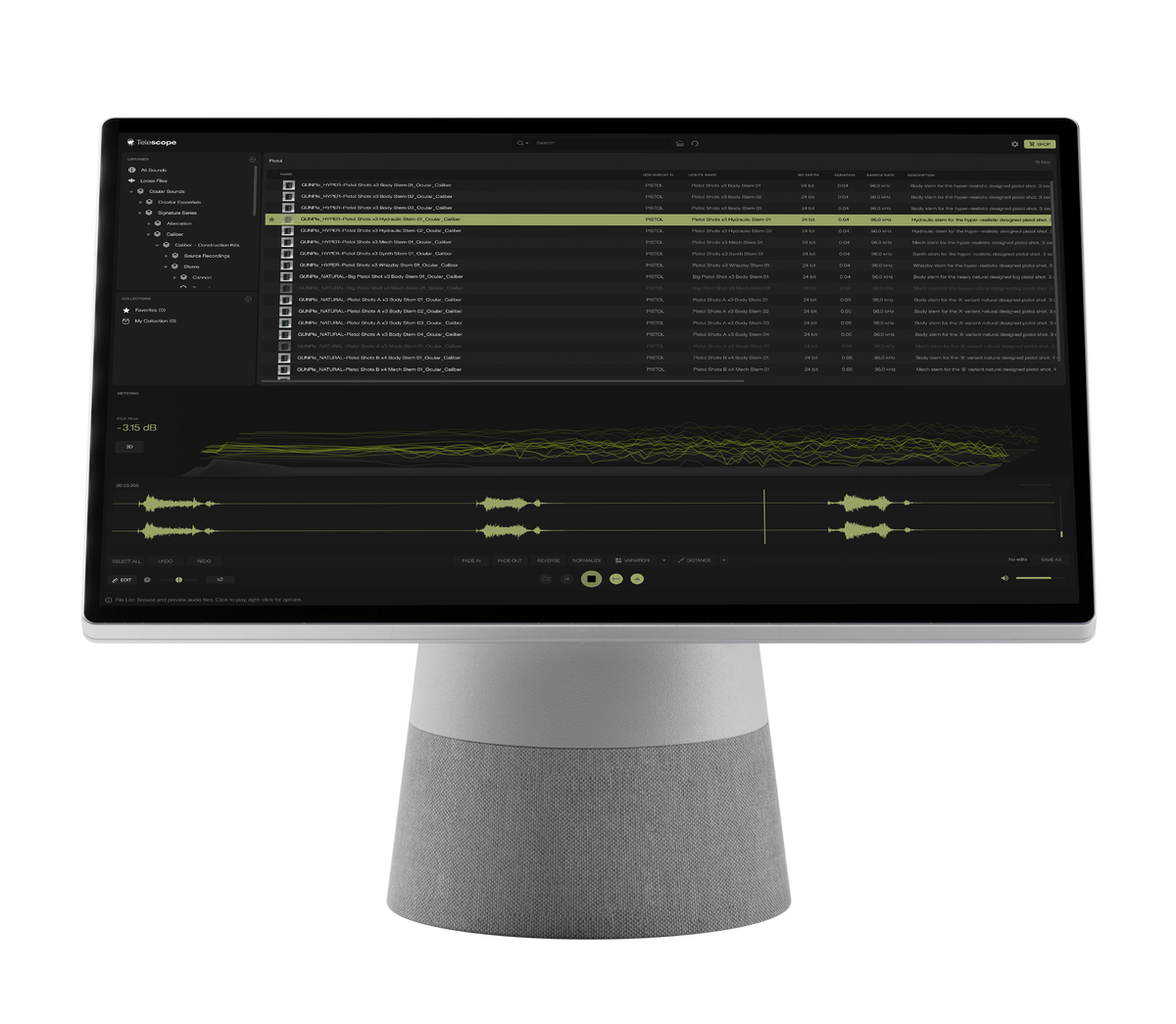

Telescope 1.2.0 - Sample Manager
Compatible with macOS & Windows
Download right after your purchase
Built for fast and efficient sound browsing
Description
Telescope is Ocular Sounds’ dedicated sample management software, built to give creators a structured, searchable and professional way to access their sound libraries from one clean interface. It reads directly from your existing folders, whether they are stored locally or on an external SSD, without duplicating or storing your files. Your structure stays exactly as you organised it, while your workflow becomes faster. By reading embedded metadata such as UCS tags, Telescope turns scattered folders into a unified, searchable system. Search by keywords, categories and descriptions to instantly find the sound you need, preview it seamlessly and drag it straight into your DAW or timeline without interrupting your creative flow. Telescope also gives you practical tools to shape and understand your sounds before they enter your project. Trim selections, add fades, reverse, normalise or generate new versions with the integrated Edit Bar, while your original file remains untouched. Use the built-in frequency spectrum analyser, including a 3D view, to explore a sound’s tonal character, or place it in perspective with the Distance Simulator.
Compatibility
The Telescope Sample Manager is compatible with macOS and Windows and is available in the following versions:
- macOS (Apple Silicon)
- macOS (Intel)
- Windows
How It Works
- Works with your existing folders (no file duplication)
- Reads metadata like UCS tags
- Search, preview, and drag into your DAW
- Non-destructive editing (original files stay untouched)

A Smarter Way to Work With Sound
Telescope is Ocular Sounds’ dedicated sample management software, built to give creators a structured, searchable and professional way to access their sound libraries from one clean interface. It reads directly from your existing folders, whether they are stored locally or on an external SSD, without duplicating or storing your files. Your structure stays exactly as you organised it, while your workflow becomes faster. By reading embedded metadata such as UCS tags, Telescope turns scattered folders into a unified, searchable system. Search by keywords, categories and descriptions to instantly find the sound you need, preview it seamlessly and drag it straight into your DAW or timeline without interrupting your creative flow. Telescope also gives you practical tools to shape and understand your sounds before they enter your project. Trim selections, add fades, reverse, normalise or generate new versions with the integrated Edit Bar, while your original file remains untouched. Use the built-in frequency spectrum analyser, including a 3D view, to explore a sound’s tonal character, or place it in perspective with the Distance Simulator.
Update 1.2.0
Telescope Just Got Better
Telescope 1.2.0 brings powerful new tools, smarter search, improved playback, better library management, and dozens of refinements shaped directly by your feedback.
Improved browsing experience
Search across entire libraries instantly with new search modes including Contains, Starts With, Ends With, and Equals. Optional typo matching helps you find the right sound even when your search isn’t perfect, while new filters make it easy to narrow down your results.
New Plugin - Variation
Create fresh variations of any sound with a single click. Variation intelligently reshapes your audio using pitch, filtering, envelopes, and other DSP processing — giving you natural alternatives while keeping the character of the original sound intact.
New Plugin - Distance Simulator
Place sounds closer or further away without leaving Telescope. Distance Simulator recreates how we naturally perceive sound over distance, adjusting more than just volume to create a convincing sense of depth and perspective.
A Smoother Playback Experience
Telescope now automatically follows your system audio output, so connecting headphones or switching devices works instantly without restarting the app. Preview accuracy, selection playback, waveform navigation, and audio handling have all been refined for a smoother experience.
More Control Over Your Libraries
Managing large sound collections is now easier and more reliable. Reveal sounds directly in Finder, import files into Telescope’s own managed library, and benefit from stronger WAV validation and expanded metadata support — including custom fields and embedded artwork.
Better in the Details
Telescope now remembers your preferred workspace, opened location, window size, and position between sessions. You can define custom temporary and export locations, while improved rescanning, metadata handling, and single-file playback solve several issues reported by the community.
Trailer & Tutorials
Over 80,000 Fans & Counting: